
Overview
Parallel Lines auto-generates N offset parallel linear features from a parent line — for utility cables, fence lines, or assets running alongside a primary survey line.
Parent Feature Type Setup
Linear feature type with:
_secondary_feature(short text) — defaultParallelLines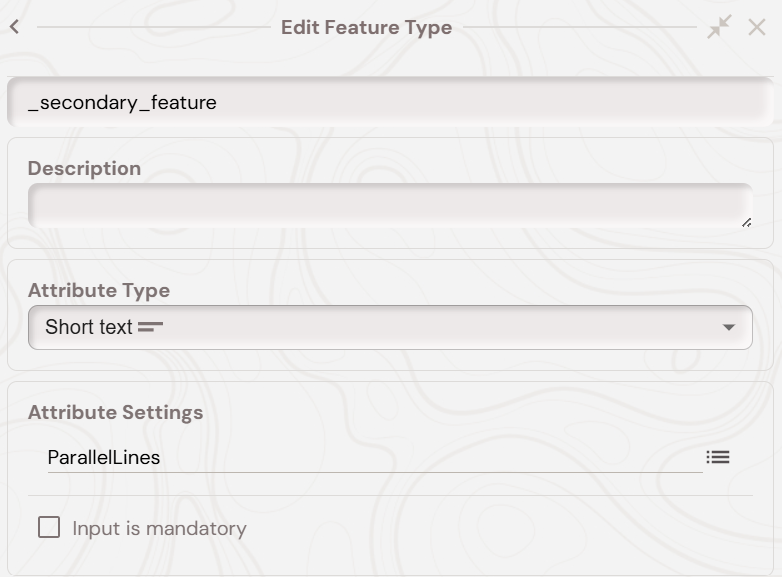
_parallel_line_feature_type_name(short text) — default = child type name (e.g.ParallelLine)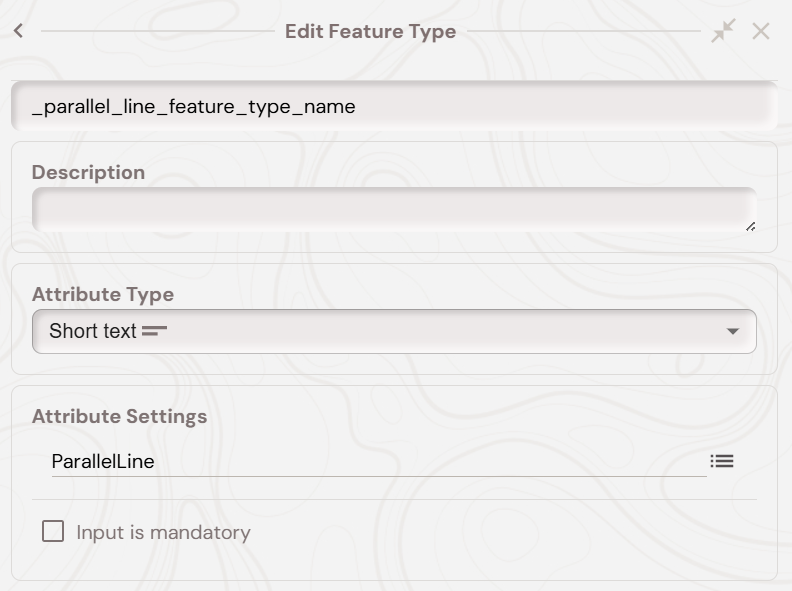
ParallelLineSpacing(numeric, metres)NumOfParallelLines(numeric)CapturedLineSide(radio) — Left, Right, or Middle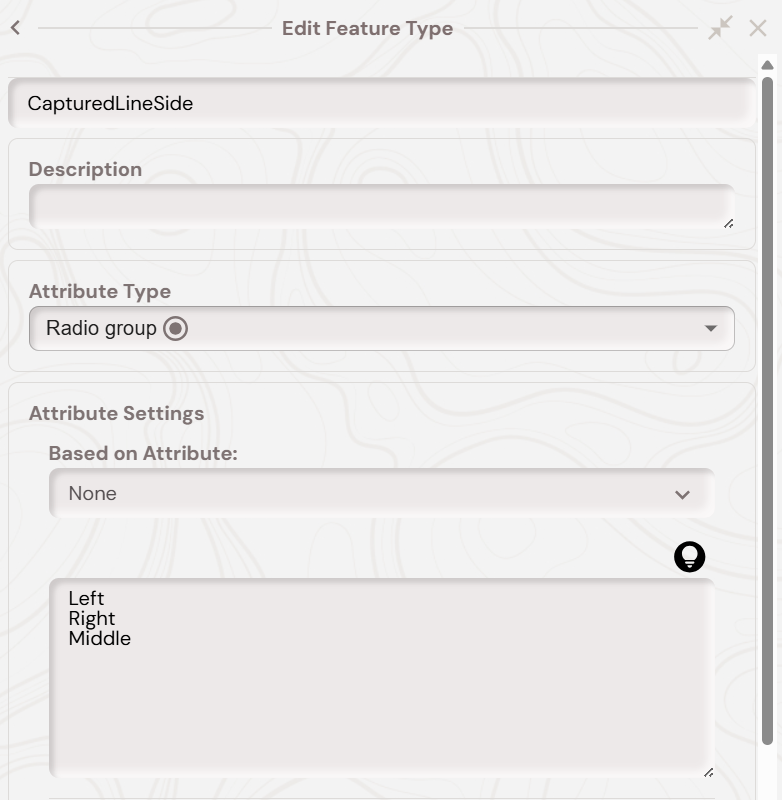
For the 'CapturedLineSide' the values are summarised below.
‘Left’ means the parent feature is the left most linear geometry, so all child parallel lines generated are on the right of the parents geometry. As shown in the below screenshot: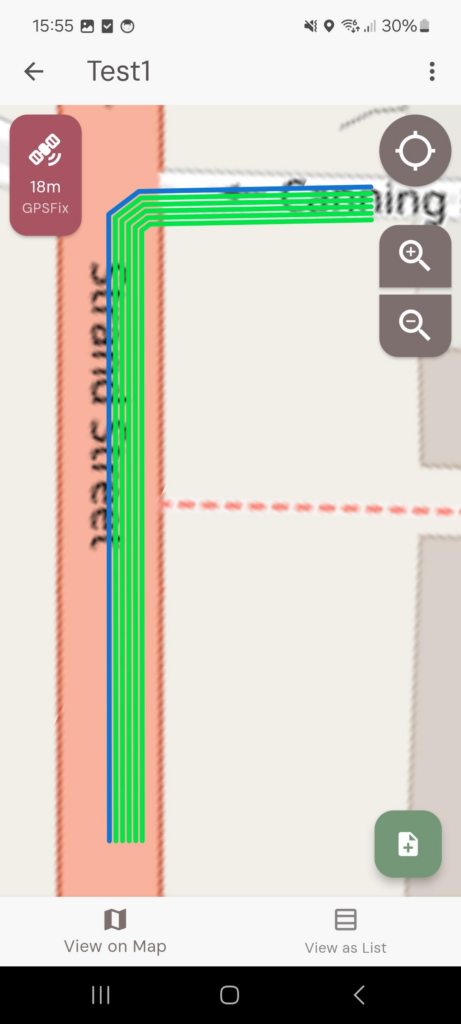
‘Right’ means the parent feature is the right most linear geometry, so all child parallel lines are on the left of the parents geometry. As shown in the below screenshot:
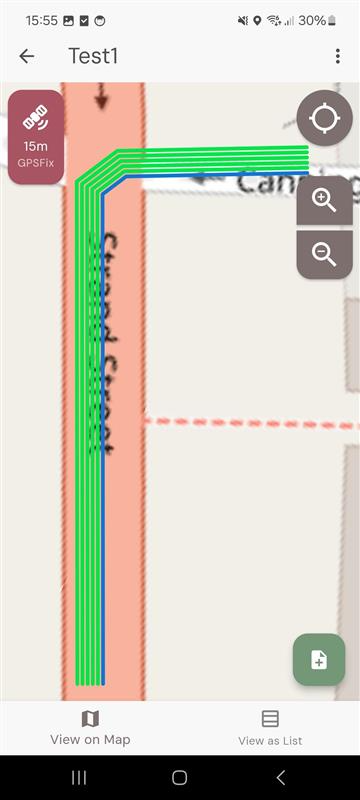
Middle means the parent feature is the middle geometry, and will alternate the behaviour from ‘Left’ to ‘Right’ to ‘Left’ to ‘Right’ etc. As shown in the below screen:
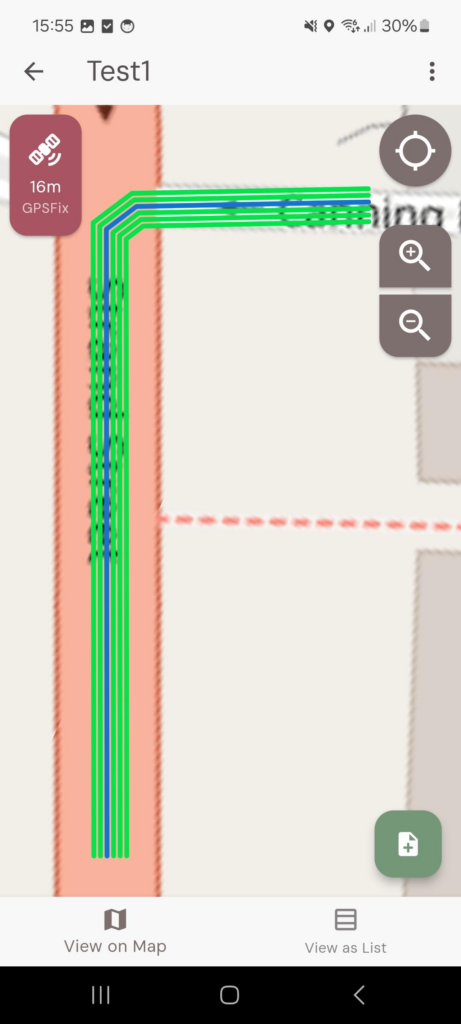
At the end, your parent secondary feature, which when a feature of this type is created will create the parallel line features, should look like below: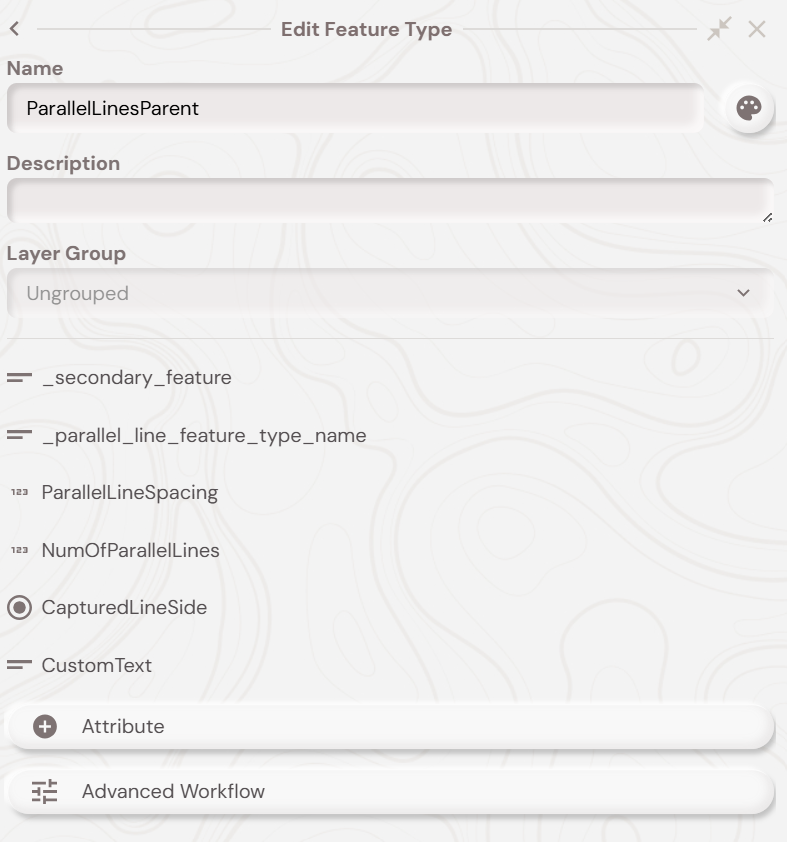
Child Feature Type Setup
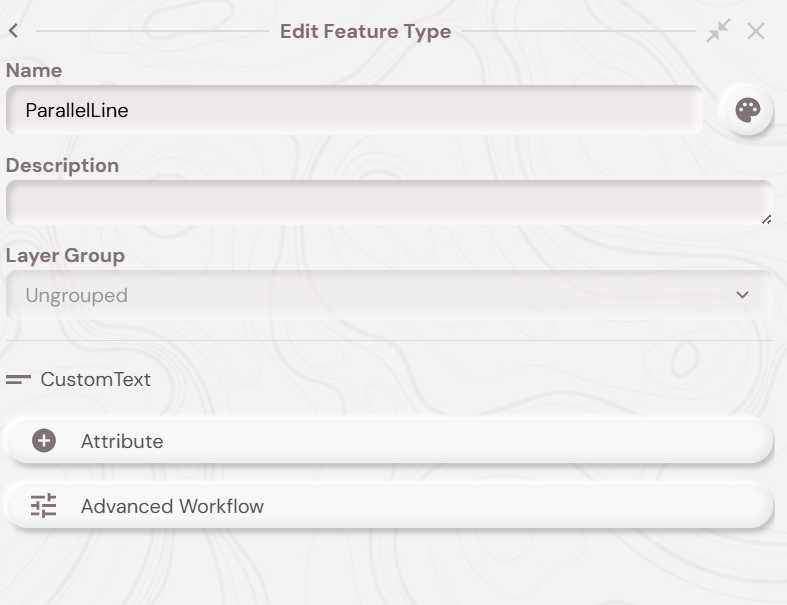
The feature type name of the child parallel line feature type needs to be the same value as specified in the parents ‘_parallel_line_feature_type_name’ attribute and must be linear geometry.
You can automatically have the parallel line features copy over values from its parent. If an attribute in the parallel lines child feature type has the same name as an attribute in the parent, then the value is copied to the child. So for example, if you wanted to copy the ‘CustomText’ short text value from the parent to the child parallel line features then you would create a short text attribute with the name ‘CustomText’ in the child feature type, like below:
Parallel lines - Mobile Demo
With all of the above setup done you should now be able to follow along with the video below, which shows the parallel line secondary feature workflow on the Soarvo Mobile app. In the video, the ‘ParallelLinesParent’ is the parent feature type which has secondary features with parallel linear geometry. So when you delete the ‘ParallelLinesParent’ feature then the ‘ParallelLine’ secondary features are deleted also.
Mobile Workflow
- Create a parent feature and capture the line along your primary asset.
- Set Spacing, Number of Parallel Lines, and Captured Line Side, then save.
- Child lines generate at the configured offset.
What's Next?