
Overview
Panels within the Soarvo Map Window can be turned on and off via the Panel Button
Toggle the tick box for which panels you wish to display.
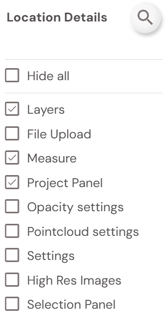
Once you have made your selection, if you wish to open the map every time time with those panels turned on/off you can click Save View from the Layers Panel