
Overview
Grid generation creates a rows × columns grid of linear features with configurable spacing and baselines — for survey grids, dig layouts, or sampling patterns. Secondary features are auto-generated children linked to a parent.
You can create a secondary 'GridLines' linear feature which is a secondary feature with x amount of columns and rows, variable spacing, and different baselines. Optionally, you can also create 'GridLineIntersections' secondary point features, at the intersection of the GridLines secondary feature geometry - and 'GridLineCentres' secondary point features at the centre of the squares of the GridLines linear feature, which is used for annotating the squares.
'GridLineCentres' and 'GridLineIntersections' are optional, if you do not create these feature types then they won't be generated - but the 'GridLines' secondary feature will and must be created.
Parent Feature Type Setup
Linear feature type with attributes:
_secondary_feature(short text) — defaultGridLines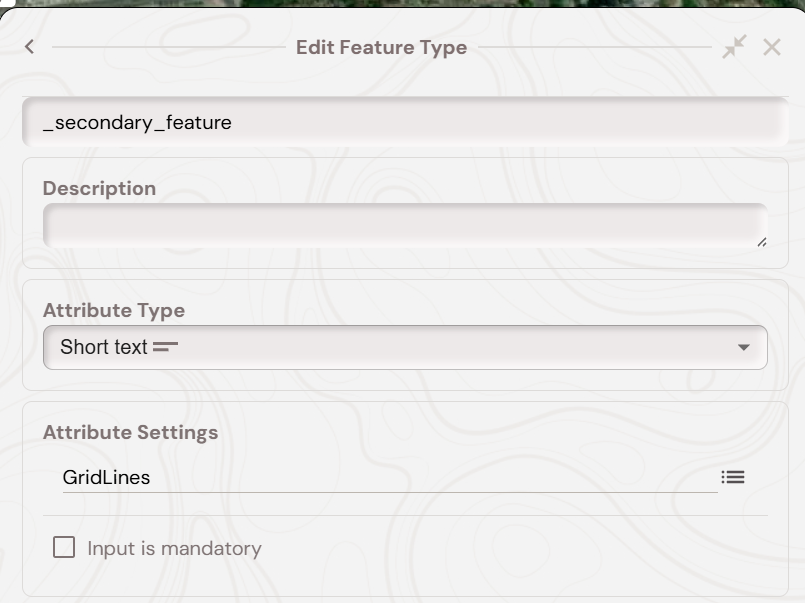
Rows(numeric)Cols(numeric)Spacing(numeric, metres)Baseline(radio) — Centred, Left, or Base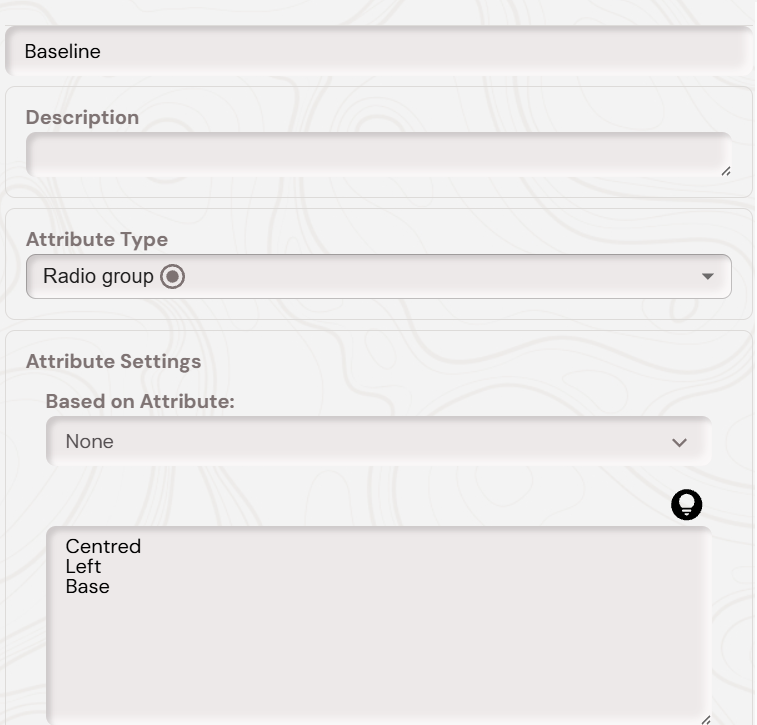
At the end, your parent secondary feature, which when a feature of this type is created will create all of the GridLines based features, should look like below: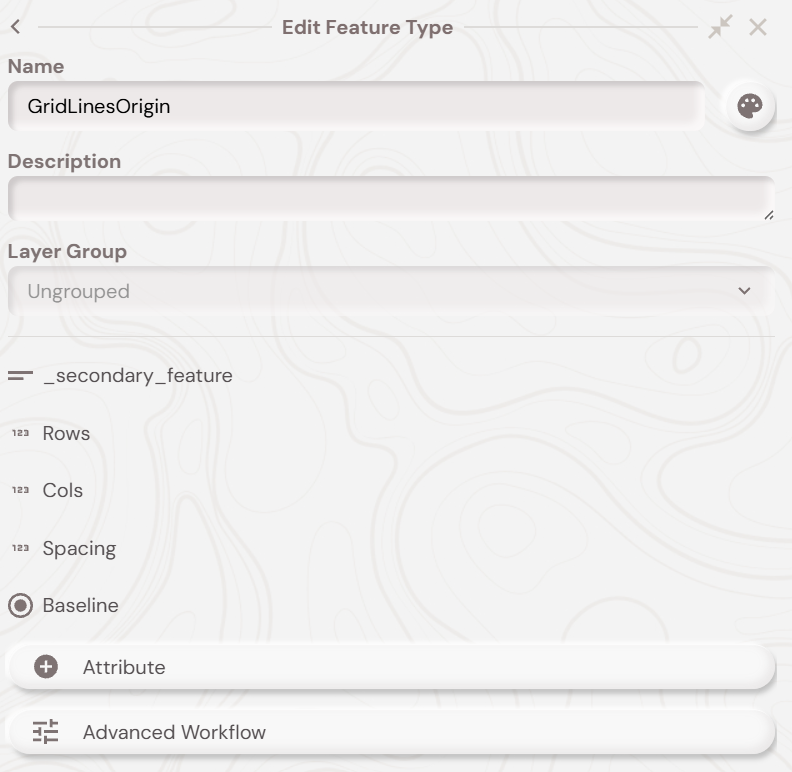
GridLines Feature Type Setup
Linear feature type named exactly GridLines. No required attributes.
GridLineIntersections (Optional)
Point feature type named exactly GridLineIntersections. No required attributes.
GridLineCentres (Optional, for cell labels)
You must setup a point feature type of the name ‘GridLinesCentres’ in a given project. You then must create a short text attribute of the name ‘SQUARE_LABEL’, so your feature type should look like below: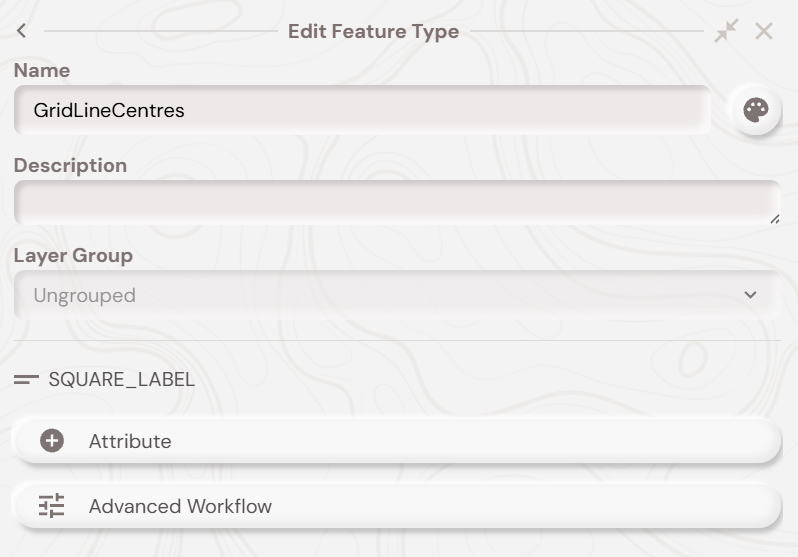
If you want labels to appear (e.g ‘A1, A2, A3’ etc) you need to enable annotation for the ‘GridLineCentres’ feature type. You can do this by clicking the top right ‘feature type style’ button and then the bottom left ‘feature type annotation’ button to bring up the feature type annotation setup. As shown below: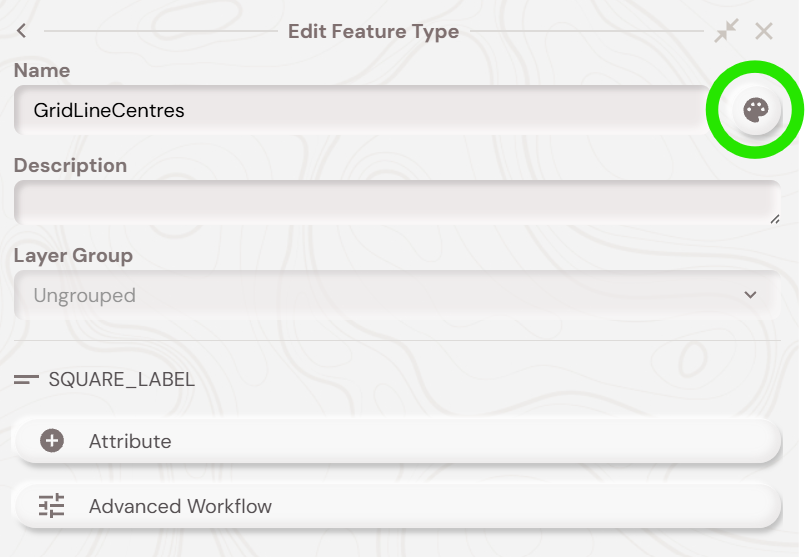
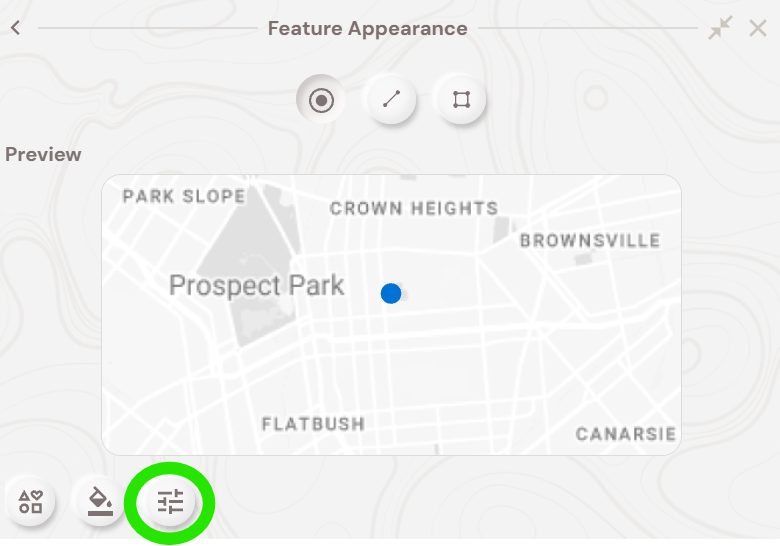
Then, ensure the ‘Attribute’ textbox is filled with ‘SQUARE_LABEL’. The other options you can choose whatever you wish. A good starting point is shown below:
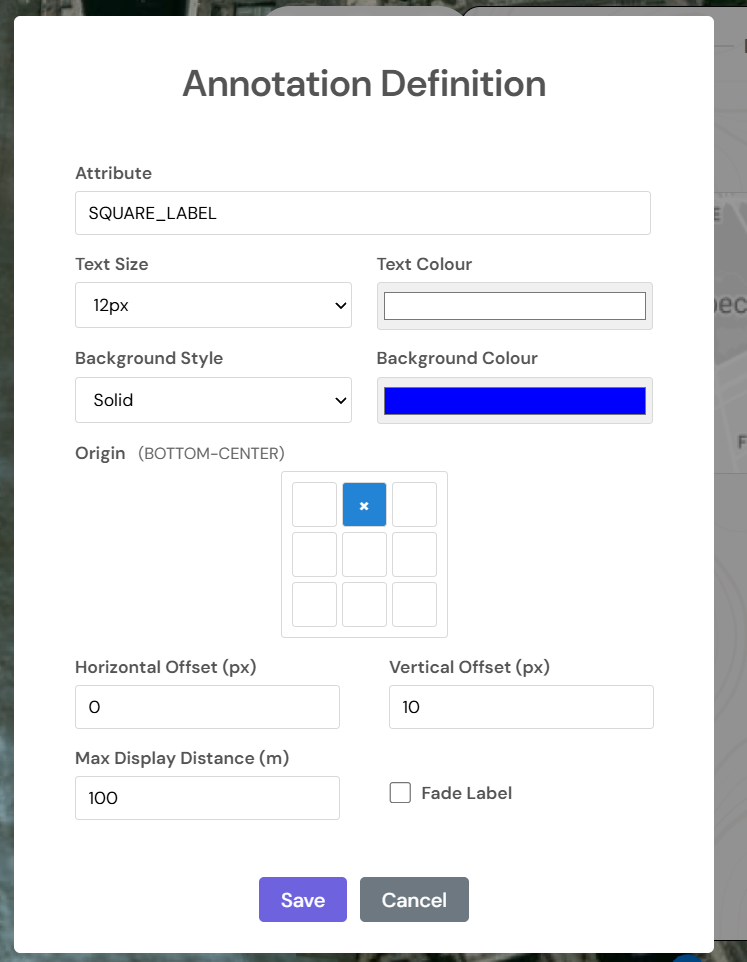
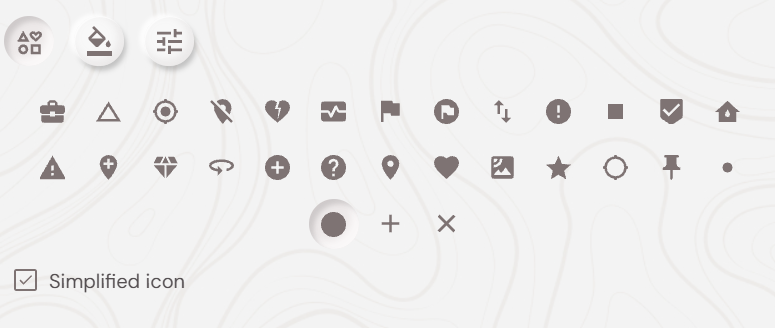
If you want to make the point icons themselves smaller, you can do this clicking the ‘feature type icon ‘ button – which is highlighted below:
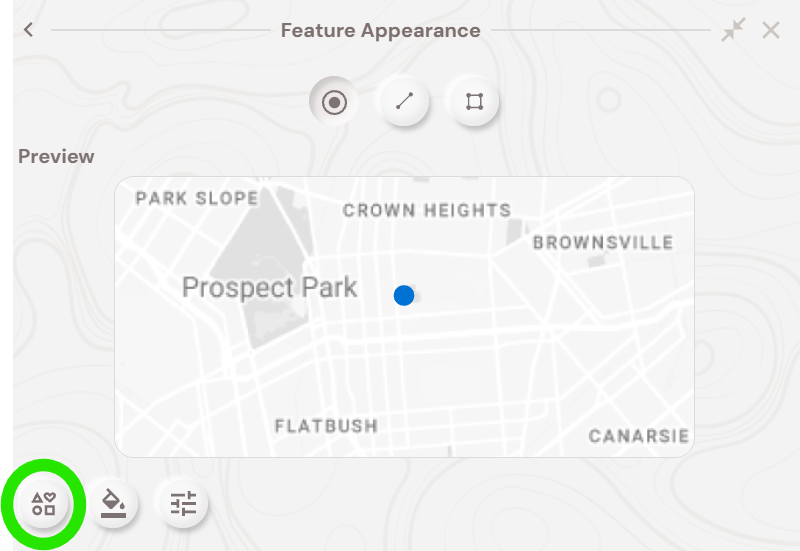
Ensure that ‘Simplified icon’ is ticked, and then choose the largest or smallest circle styling option, like below:
Grid Generation – Mobile Demo
With all of the above setup done you should now be able to follow along with the video below, which shows the grid generation secondary feature workflow on the Soarvo Mobile app. In the video, the ‘GridLinesOrigin’ is the parent feature type which all of the grid based secondary features and linked to a feature of that type. So when you delete the ‘GridLinesOrigin’ feature then the grid based secondary features are deleted also.What's Next?